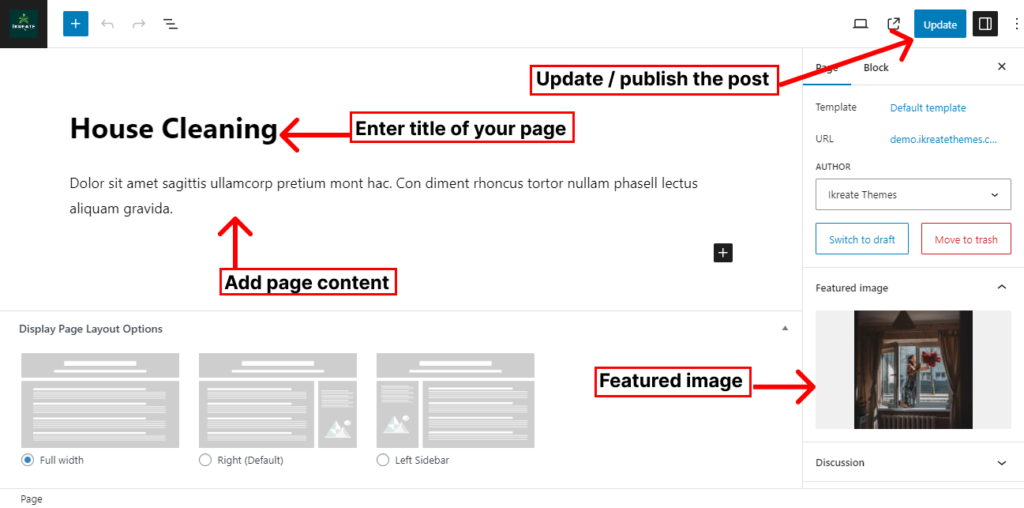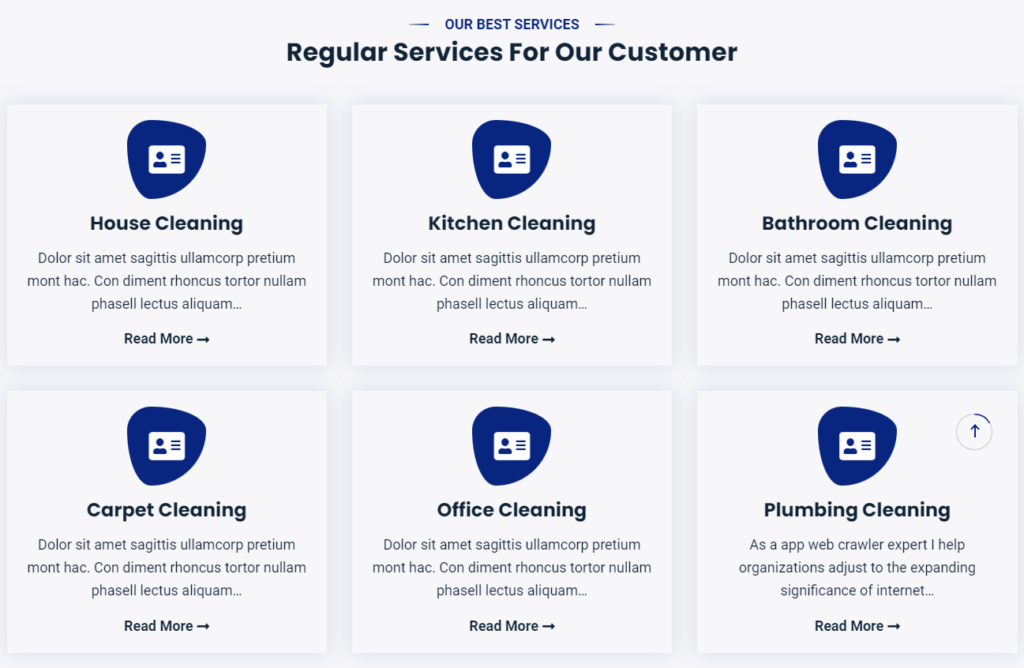
To configure the feature section you’ll have to create feature page and later configure it to display it from the customizer.
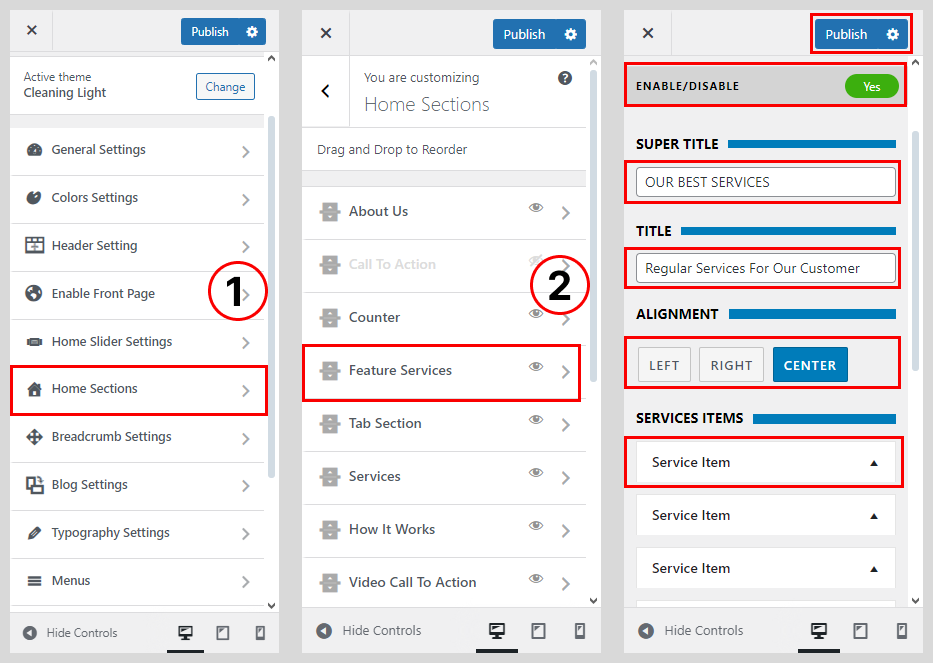
- Go to Appearance > Customize > Home Section.
- Select the Featured Services
- Check Enable Feature Service to show the feature service on the homepage.
- Add the Slider Super Title and Title.
- Select the Default Feature Services Type
- Click the Feature Services Item.
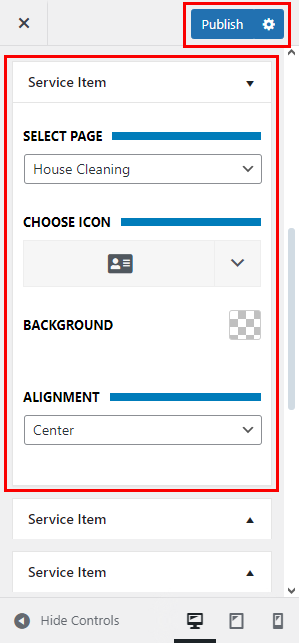
- Select Page the Service Item.
- Choose the Service Icon
- Select the Background Color
- Select the Text Alignment
- Click on Publish button.
How To Configure Default Featured Page
Create other feature pages in the same way.
- Go to Dashboard > Pages > Add New.
- Enter the Title for the feature page.
- And last one is Featured Service Image
- Enter the contents for the page in the content area.
- Click on Publish/Update button.