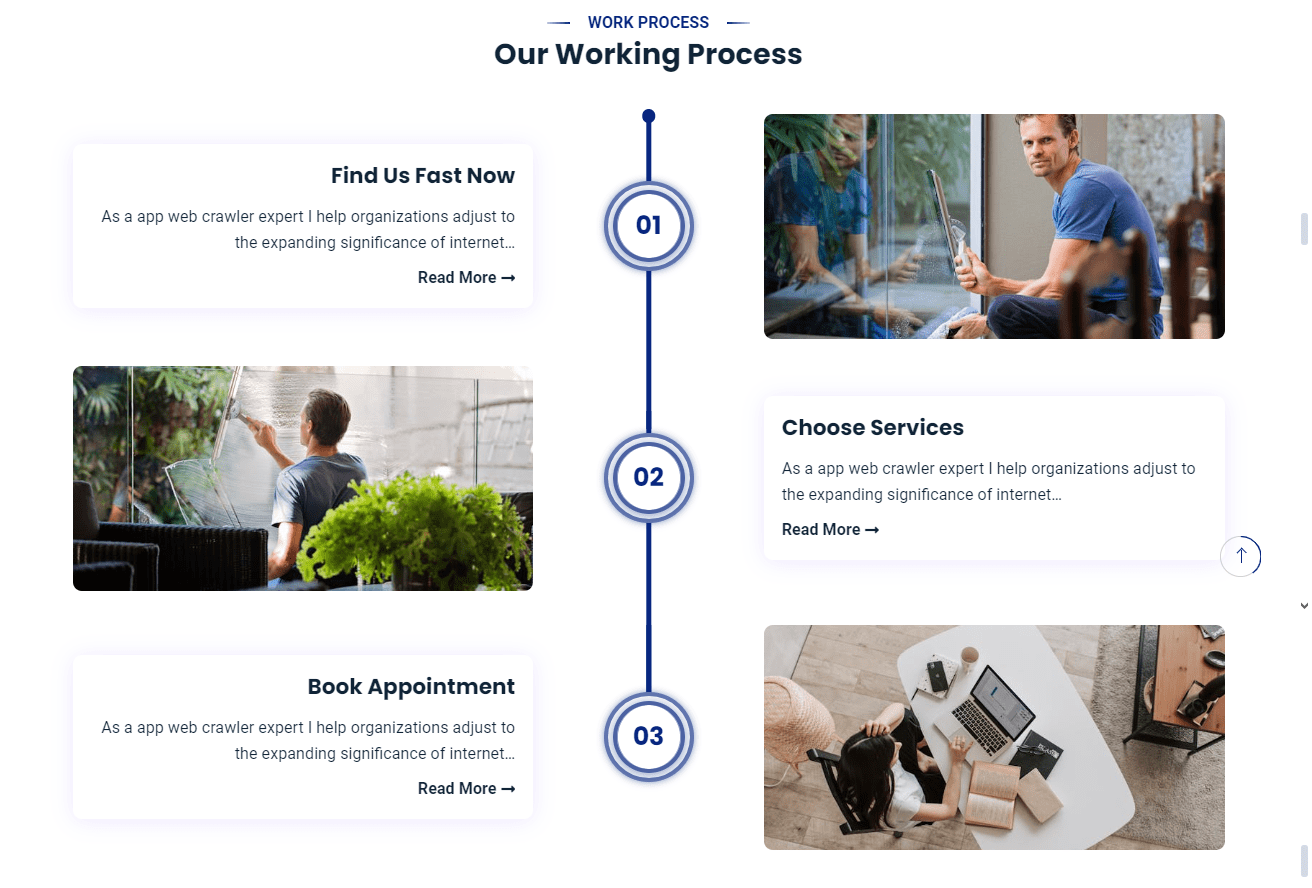
The theme allows you to display 3 step inside the How It Works of home page. To configure the How It Works you’ll have to create How It Works page and later configure it to display it from the customizer.
How To Configure Default How It Works Page
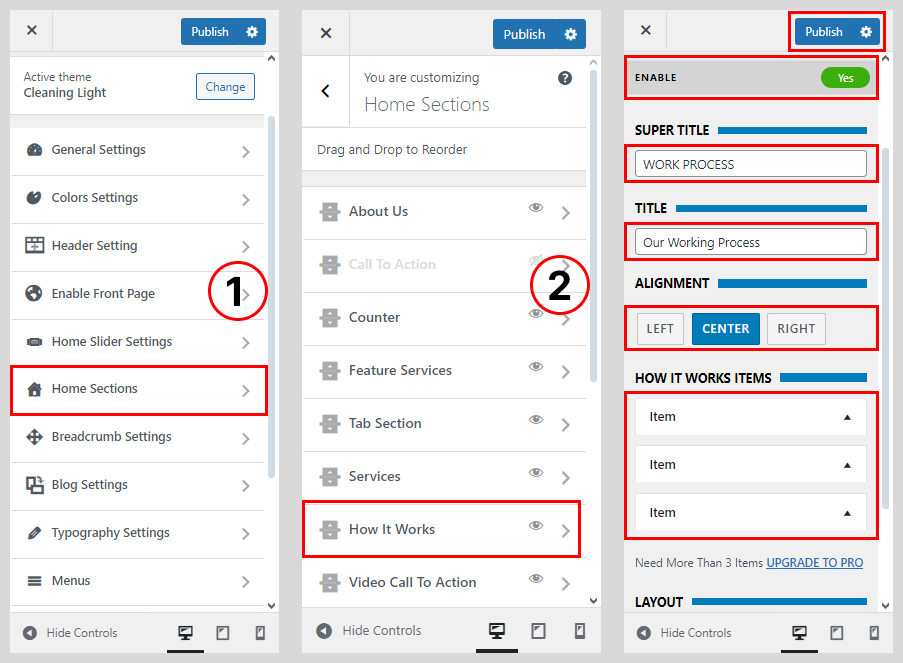
- Go to Dashboard > Appearance > Customize.
- Go to Home Sections > How It Works Section
- Set ‘Disable Section‘ to ‘No‘, if you wish to disable the portfolio section on your home page else, set the option to ‘Yes‘.
- Set the subtitle for the portfolio section under the ‘Sub Title‘ textarea field.
- Set the title for the portfolio section under ‘Title’ textfield.
- Select the Default How It Works Type
- Click on How It Works Item
- Select the Service Page
- Click on the ‘Save & Publish‘ button
How To Configure Default How It Works Page
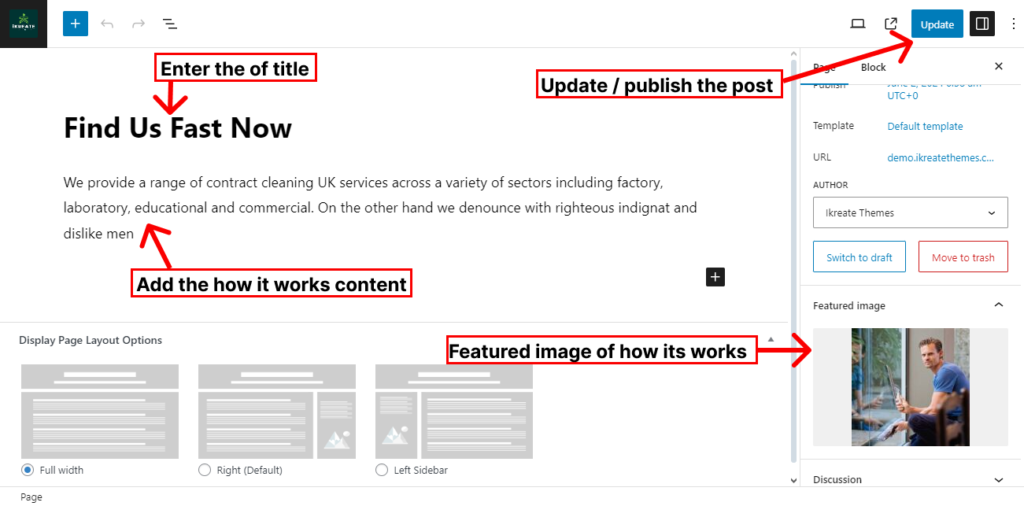
- Go to Dashboard > Pages > Add New.
- Enter the title for the how it works page.
- Enter the contents for the page in the content area.
- Click on Publish/Update button.