The theme allows you to display 1-4 counters under the Counter Section. To configure the counter section follow these steps:
Configure In Advance Counter Section
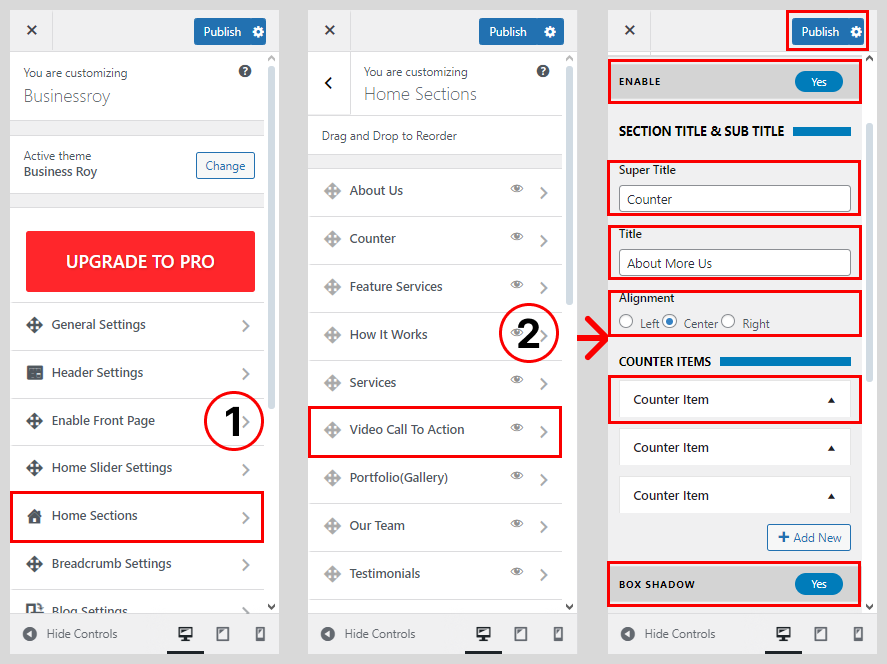
- Go to Dashboard > Appearance > Customize.
- Go to Home Sections > Counter Section.
- Set ‘Disable Section‘ to ‘No‘ if you wish to disable Counter Section in your home page else set the option to ‘Yes‘.
- Set the Counter Section sub-title under the ‘Sub Title‘ textarea field.
- Set the Counter Section title under the ‘Title‘ text field.
- Choose on Text Alignment
- Select the Counter Items
- Set Box Shadow to ‘No‘ if you wish to show box shadow in your home page else set the option to ‘Yes‘.
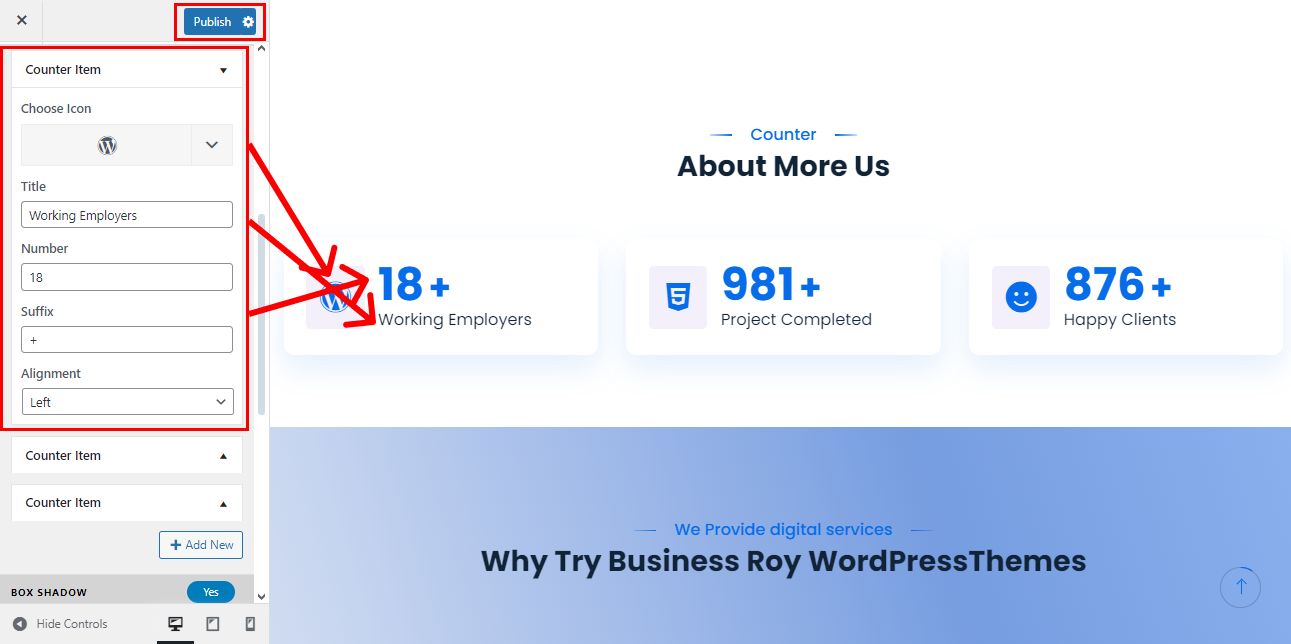
- Set the title for the counter(1-4) in the ‘Title’ textfield.
- Set the counter no. for the counter(1-4) in ‘Counter Value’ textfield.
- Select the icon of your choice for the counter(1-4) from the Counter Icon drop-down list.
- Choose Counter Icon
- Write the Counter Title, Counter Number, Counter Suffix and Alignment
- Once done, click on the ‘Save & Publish‘ button.