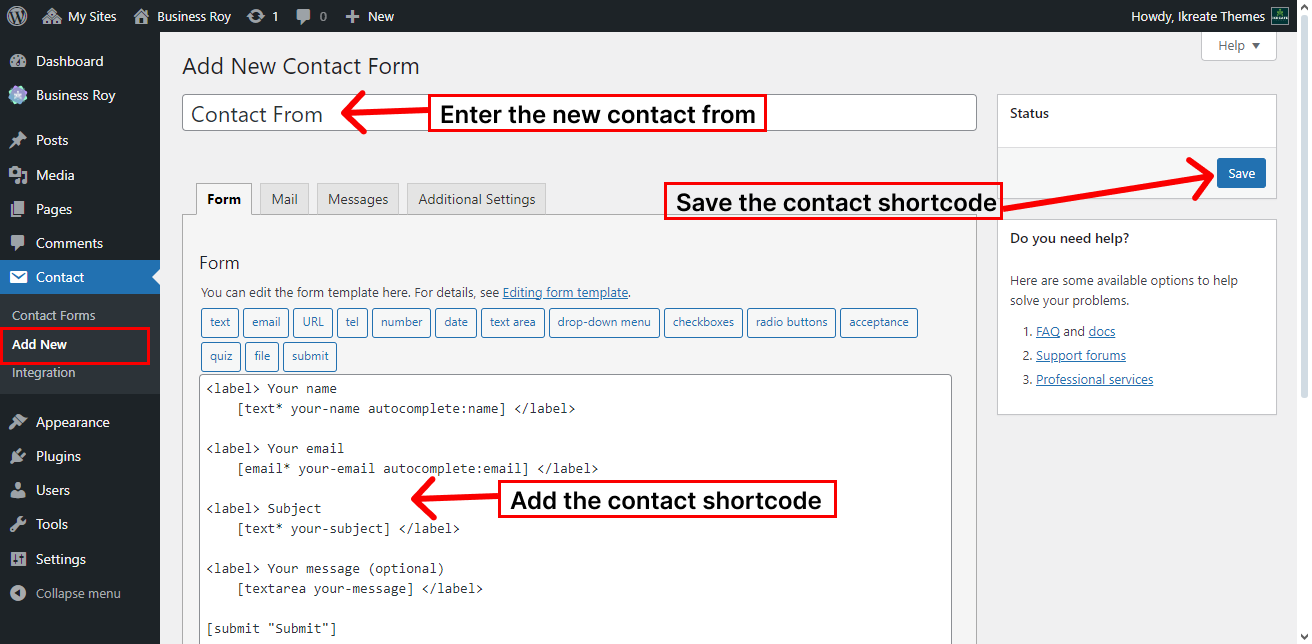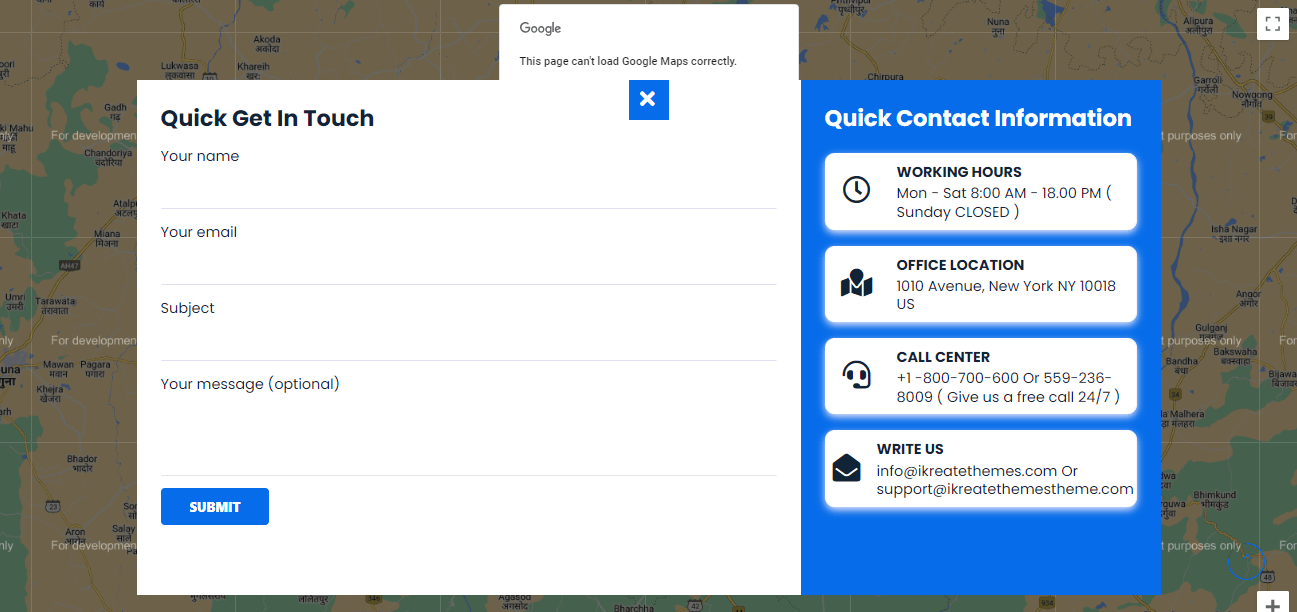
To Create a contact Section You’ll initially need create the contact page then later configure to display the Contact via Customizer.
How To Configure Contact Section
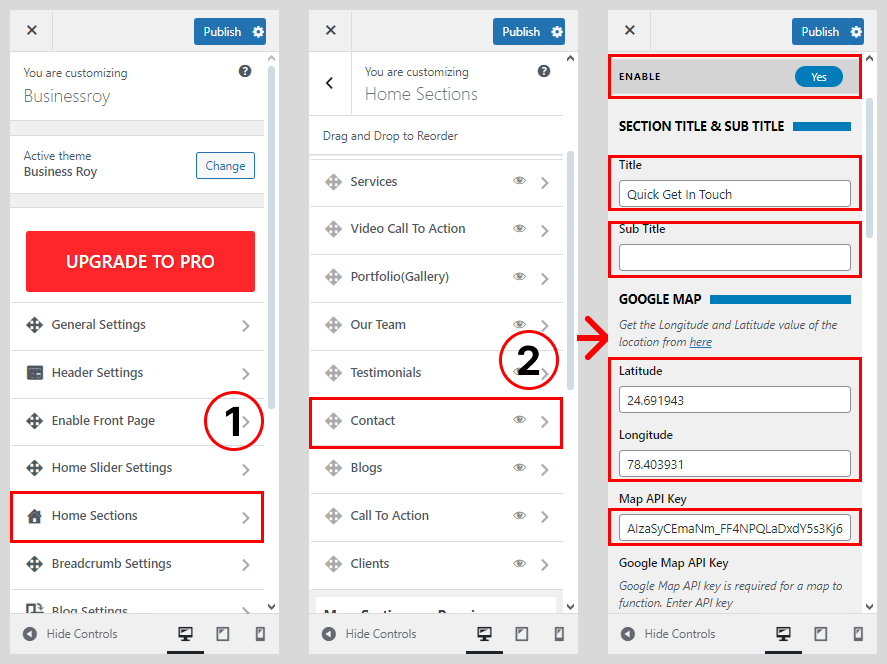
- Go to Dashboard > Appearance > Customize.
- Go to Home Sections > Contact Section
- Set ‘Disable Section‘ to ‘No‘ if you wish to disable the Blog Section on your home page else set the option to ‘Yes‘.
- Set the title for the Blog Section under ‘Title‘ textfield.
- Set the subtitle for the Blog Section under the ‘Sub Title‘ textarea field.
- Set the Latitude and Longitude for value of the location
- Write the Google Map API Key
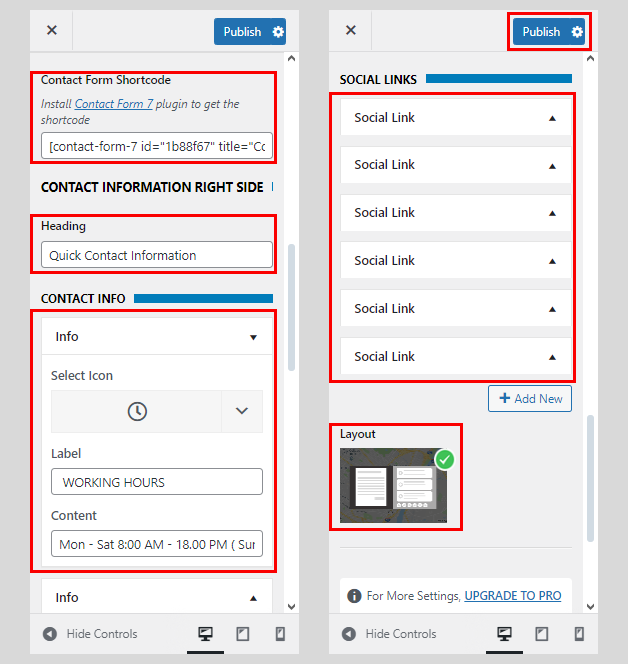
- Write the code of Contact From Shortcode
- Rewrite the Heading of Contact Information
- Select the Contact Information
- Choose the Contact Icon, Label and Content
- Link the Social links
- Set the Contact Layout
- Click on Publish button.
How To Configure Contact From Shortcode
- Go to Dashboard > Contact > New Contact.
- Select the Add New
- Add Contact From Name
- Add the Contact Shortcode
- Click on the Save button.