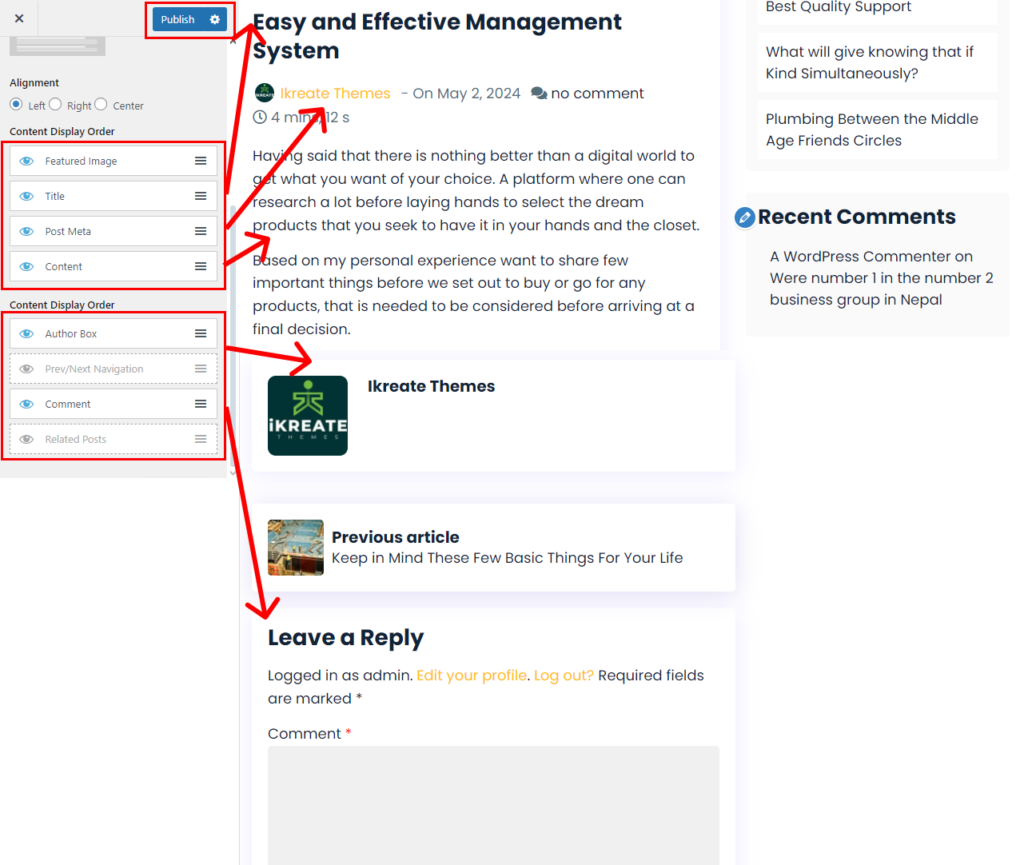
You need to Create single post pages settings whenever there is an create. We configure single post pages settings
Please follow the below steps to single post pages settings:
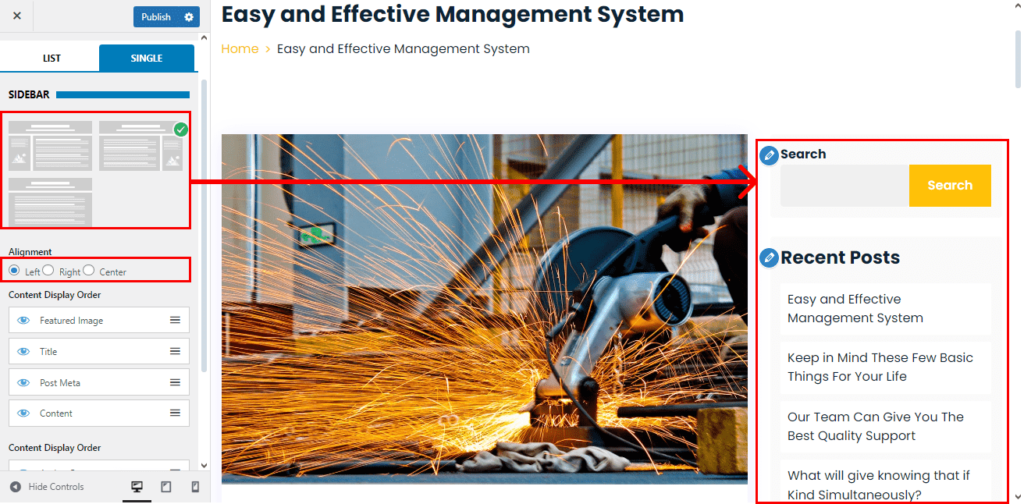
- Go to Dashboard > Appearance > Customize.
- Go to Blog Setting.
- Choose to Single
- Select the Sidebar
- Choose on Text Alignment of Single Post Pages
- Show the Content To Display on the Single Post Page
- Hide this Content that can’t be Displayed
- Click on ‘publish’ button.