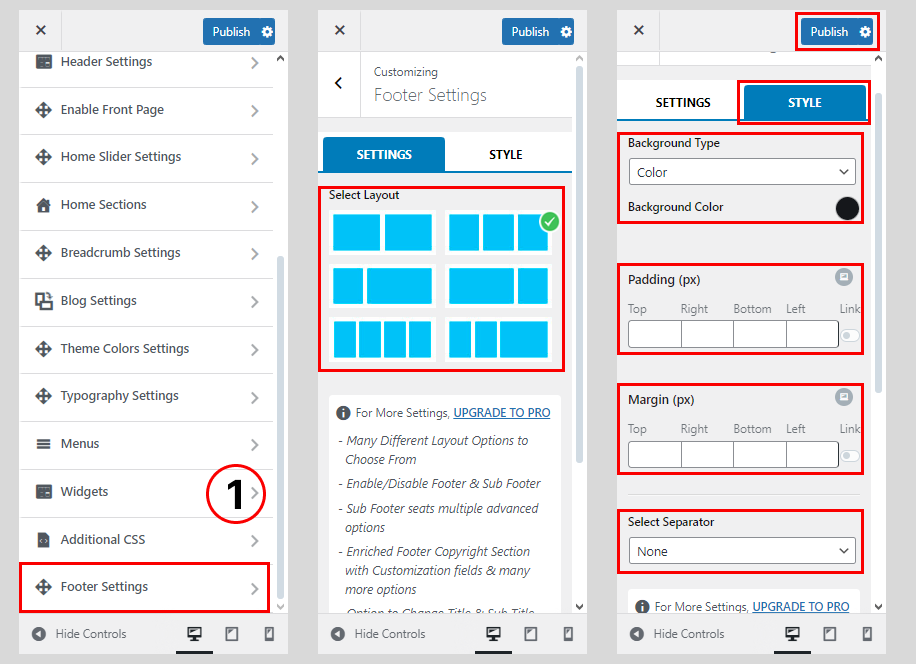
The theme has tons of features and functionalities to configure and customize the footer section. You can play with these options to build an eye catching footer on your WordPress website.
To configure the footer section, follow these steps:
- Go to Dashboard > Appearance > Customize.
- Click on Footer Settings.
- Choose any of the 6 different Footer Column Layouts.
- Click on Footer Style
- Choose the Background Type
- Set the Padding (px) and Margin (px)
- Select the Footer Separator
- Click on the “Publish” button to save.
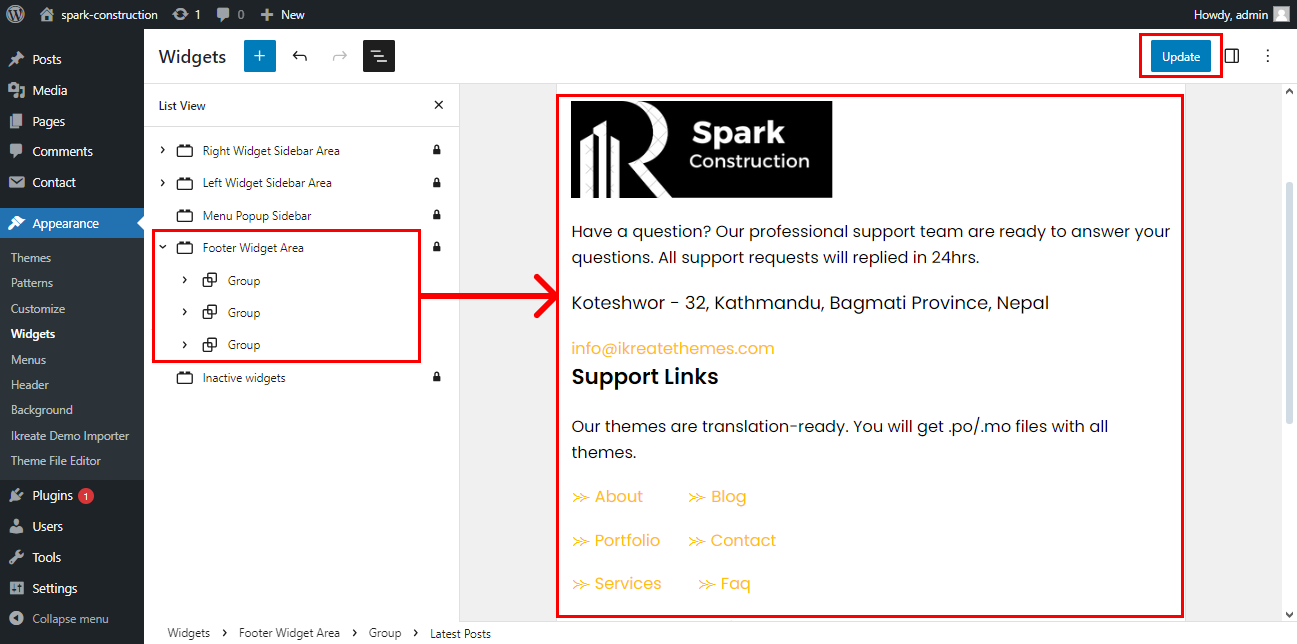
How To Configure The Footer Widget
Once you have selected your Footer Layout, you can add various footer widgets on them. To Configure these footer widgets follow these steps:
- Go to Dashboard > Appearance > Widgets.
- Drag and Drop the widgets of your choice to Footer One, Footer Two & Footer Three widget areas.
- Configure the Widget Contents and Settings.
- Once done, click on the ‘Update’ button.